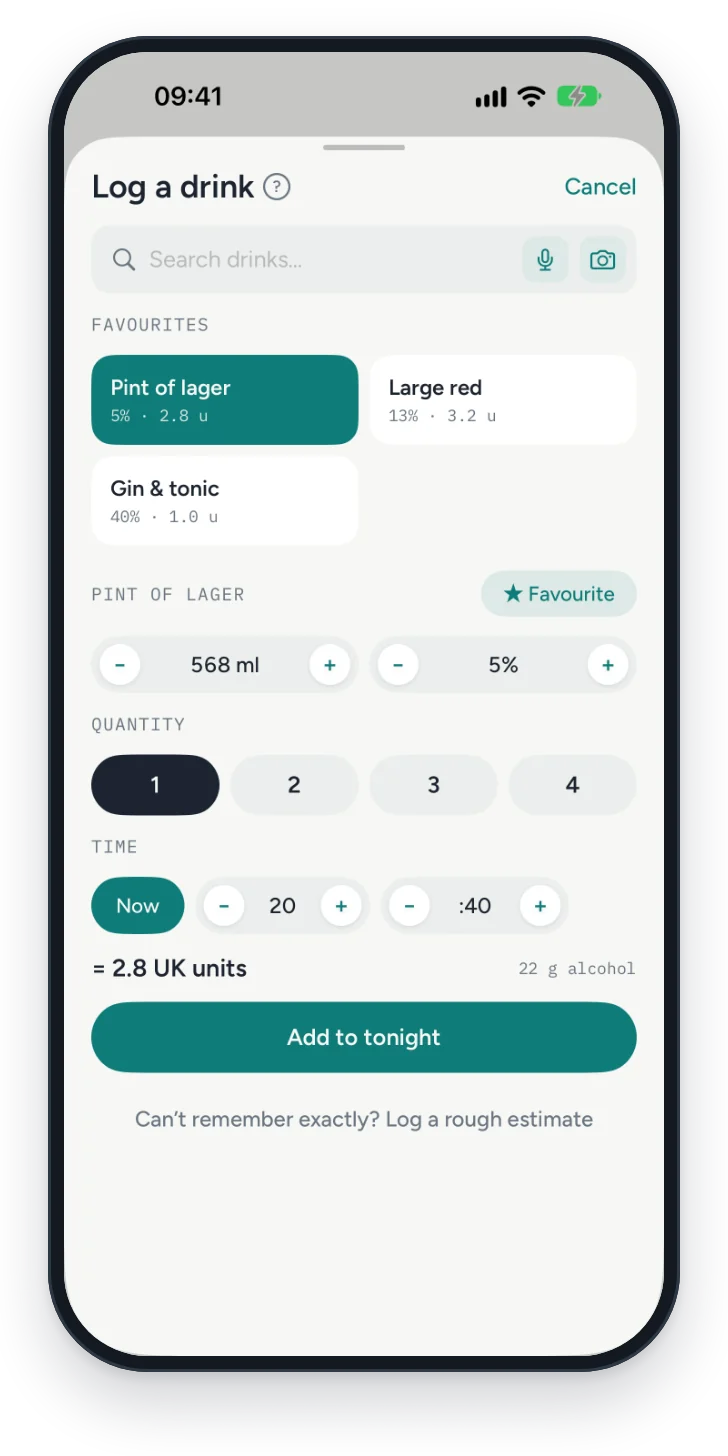
Log a drink in one tap. Or say it.
Your favourites, with the sizes and strengths you actually drink. Say “two pints and a large red” and check it before it's saved.
For iPhone
Log a drink in one tap. See your week against where you started. Your log stays on your phone.
What it does
Your favourites, with the sizes and strengths you actually drink. Say “two pints and a large red” and check it before it's saved.
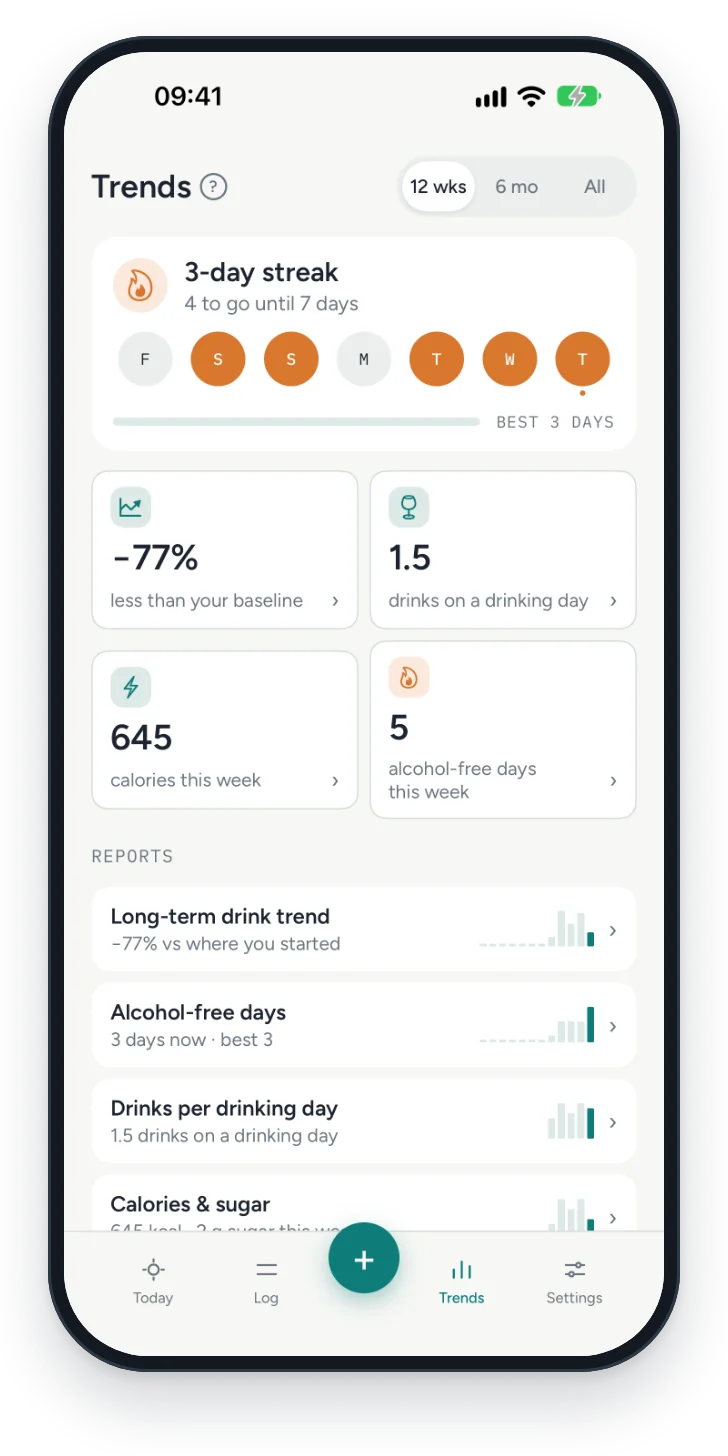
Units, alcohol-free days and trends over 12 weeks, six months or all of it. No scores, no verdicts.
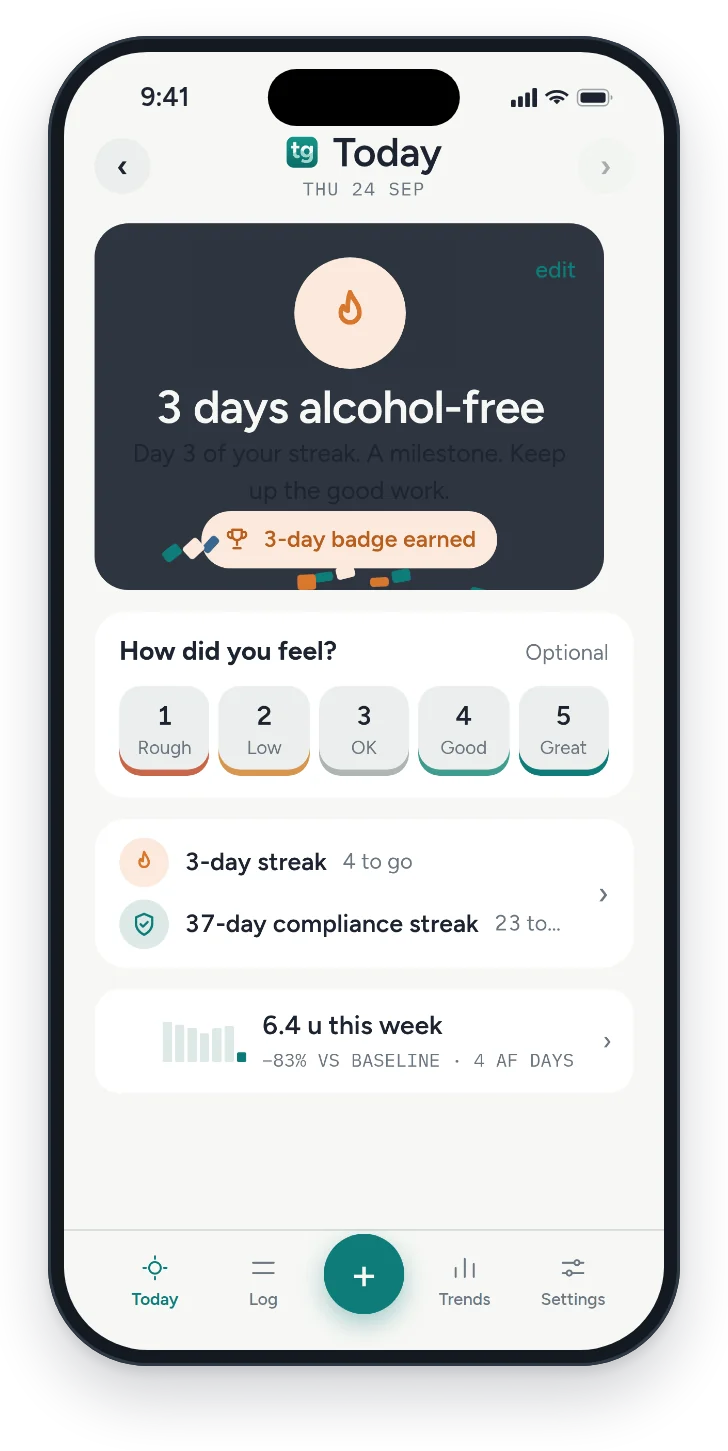
Mark a dry day in one tap. Streaks for alcohol-free days, with milestones at 3, 7, 14, 30, 60 and 90 days.
If you take medication for alcohol
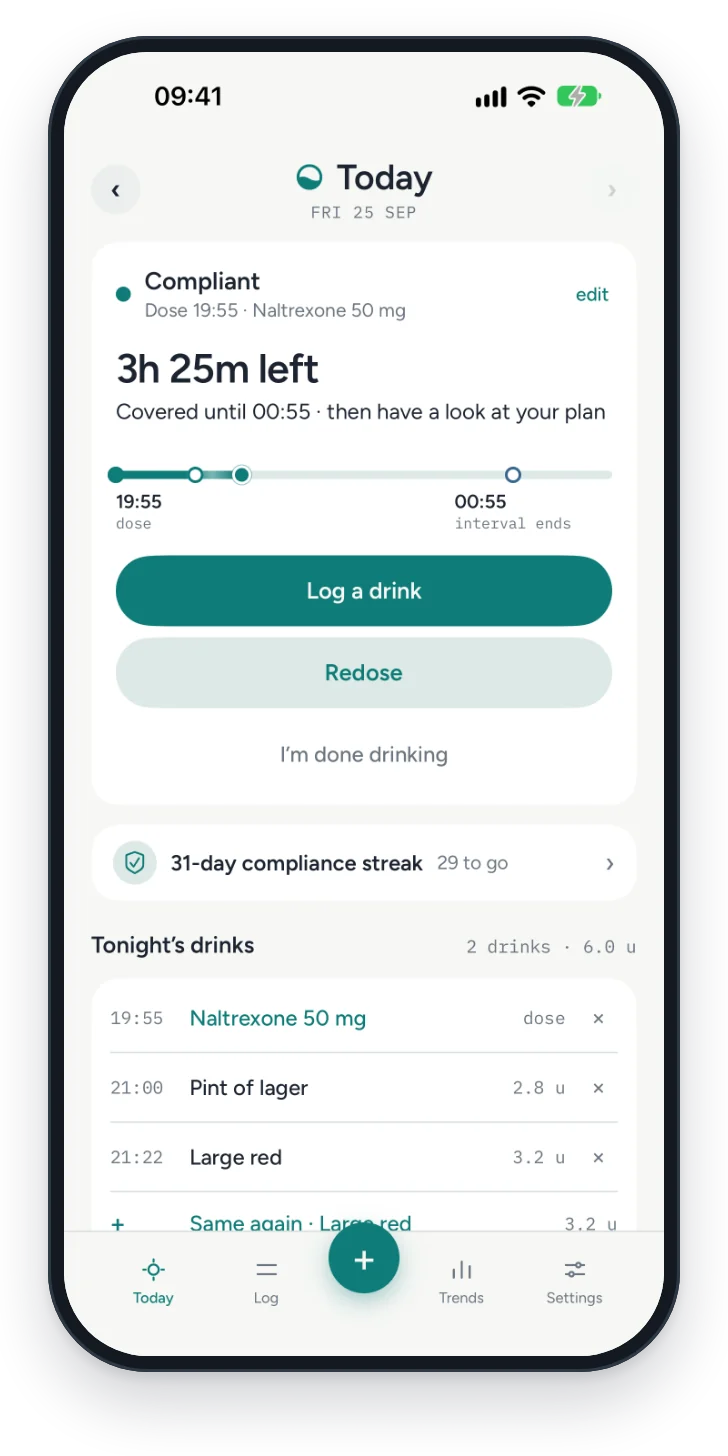
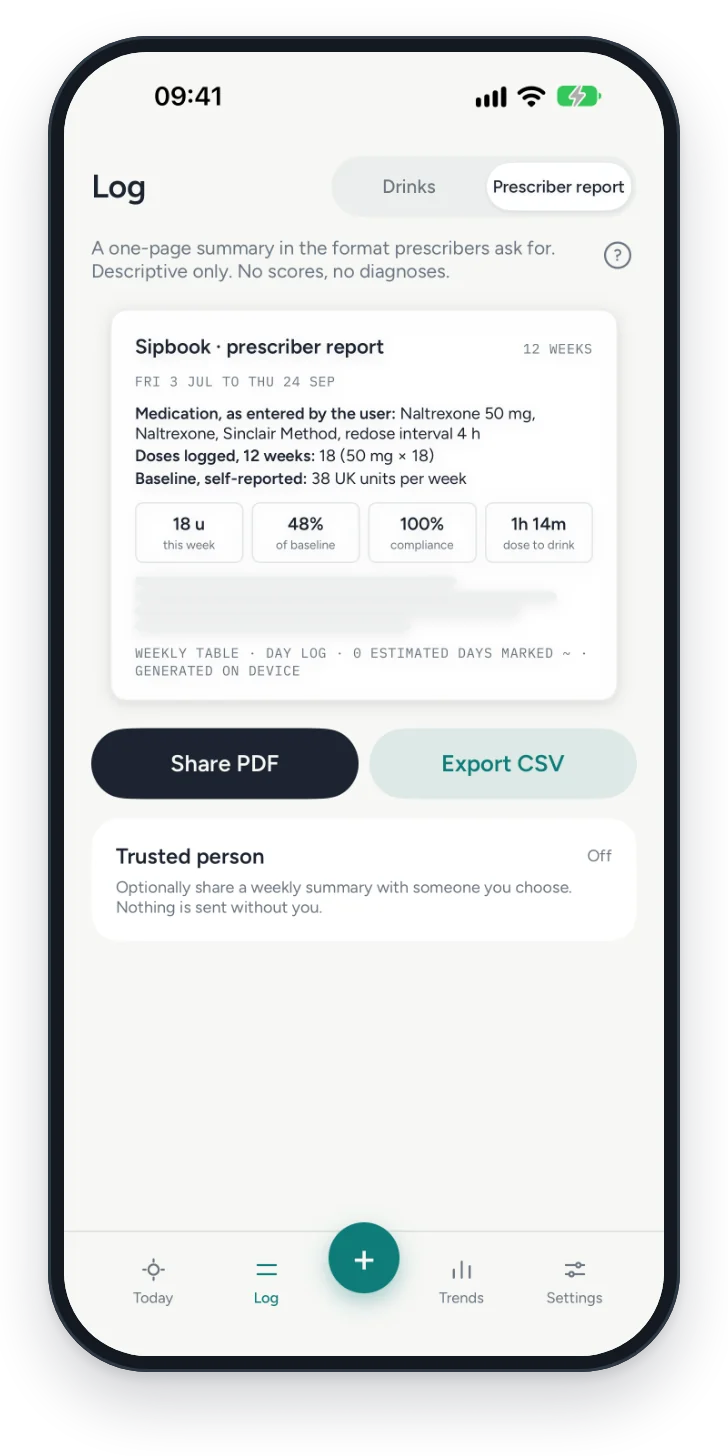
For naltrexone on the Sinclair Method, nalmefene, and other medication you take for alcohol. Tallyglass logs each dose alongside your drinks and shows your own plan back to you.
Tallyglass never tells you what to take or when. That stays between you and your plan. Not on medication? None of this appears.
Privacy
No accountNothing to sign up for. No email, no password.
Your log stays on your phoneTallyglass has no server. We never see what you log.
iCloud, only if you want itSync keeps a copy in your own iCloud, so your log comes back on a new phone. It's off until you turn it on.
No ads, no analytics, no trackingThere's nothing in the app that reports on you.
Support
No. Open the app and start logging. There's nothing to sign up for.
Turn on iCloud sync in Settings › Data & privacy before you switch. Install Tallyglass on the new phone, turn sync on there too, and your log comes back.
Yes. Import an Excel or CSV file in Settings › Data & privacy › Import, including week-by-day logs like the Options Saves Lives drink log. Starting from paper? There's a template. How to import.
Settings › Data & privacy › Delete all data. It removes your log from your phone, the copy in iCloud if sync is on, and the drinks Tallyglass wrote to Apple Health. There's no undo.
No. You set the wait and the interval from your own plan, and Tallyglass shows them back to you. It tells you when cover ends and which drinks weren't covered, and leaves the decisions to you.
No. It's a diary. It doesn't diagnose or treat anything, and it doesn't give medical advice.
Worried about your drinking? Talk to your doctor. In the UK, call Drinkline free and in confidence on 0300 123 1110. In the US, the SAMHSA National Helpline is free and open 24/7 on 1-800-662-4357. Elsewhere, Find a helpline lists free services in your country.